
Product
Your social media team, as seven agents.
Oryxia does what an agency or a social media manager does — research, hooks, brand memory, competitors, scripts, video editing and replies — with AI agents that share one personal brain. Every draft waits for your approval.

Your agents
Seven agents. One personal brain.
Each agent does one job an agency would bill you for, and every one of them reads the same brand memory — so the script knows what research found, the inbox knows what the script promised, and the edit knows the brief that started it. Customize them for any niche.

01 · Research agent
Research
Reads your performance, trends in your niche and what your audience keeps asking — and turns it into a recommended next move, not just a chart.
vs. an agency's monthly PDF report
02 · Hook agent
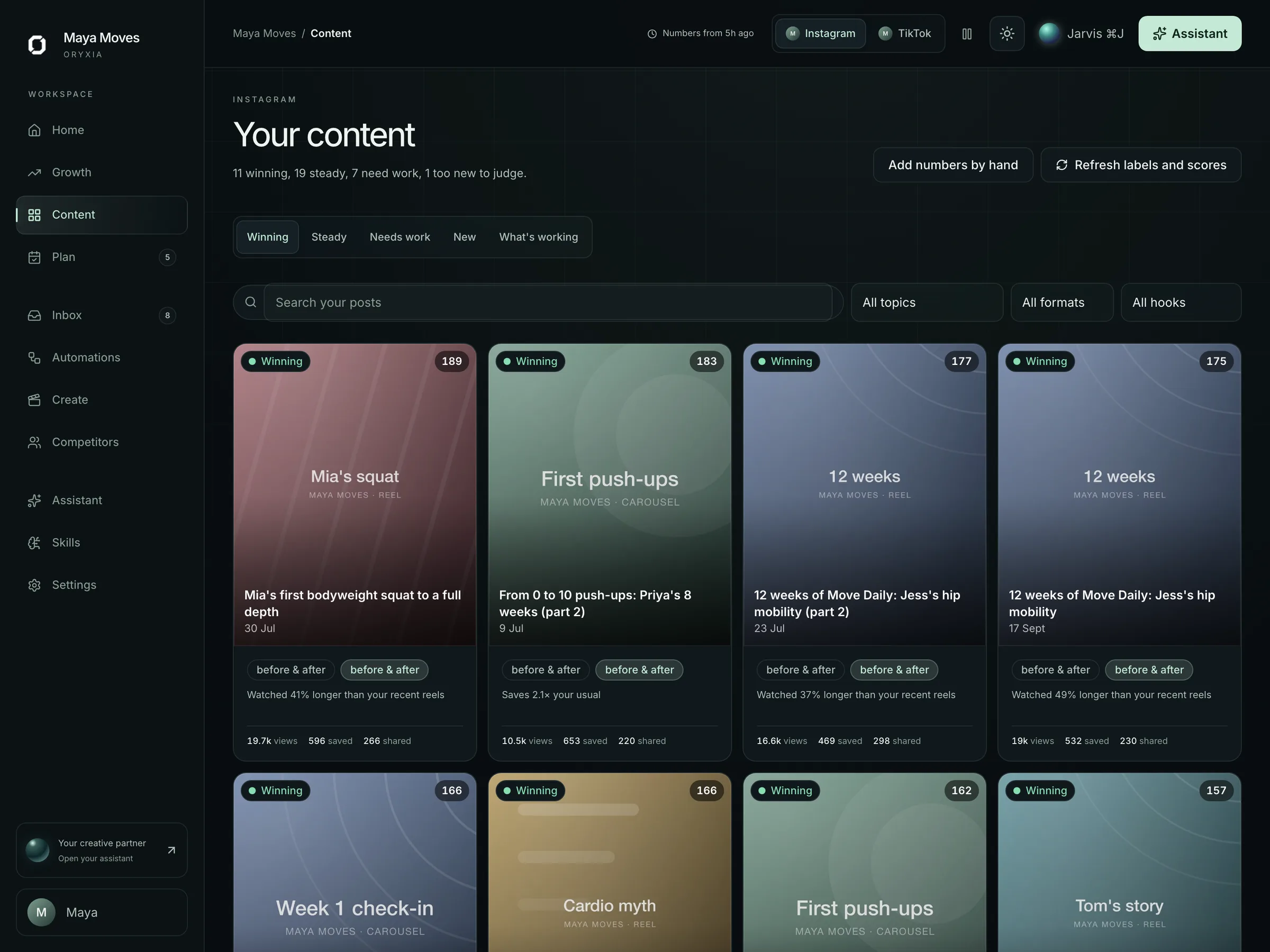
Hook library
Saves the hooks, formats and openings that performed — yours and your niche's — so every new script starts from proof instead of a blank page.
vs. guessing the first three seconds
03 · Brand memory
Personal brain
Your voice guide, offers, FAQs, past posts and the things you never say — one brand memory every other agent reads before it drafts anything.
vs. re-briefing a new freelancer every month
04 · Competitor agent
Competitors
Tracks the creators and brands that matter to you, explains what is working for them, and translates it into your own voice.
vs. scrolling competitors' feeds at midnight
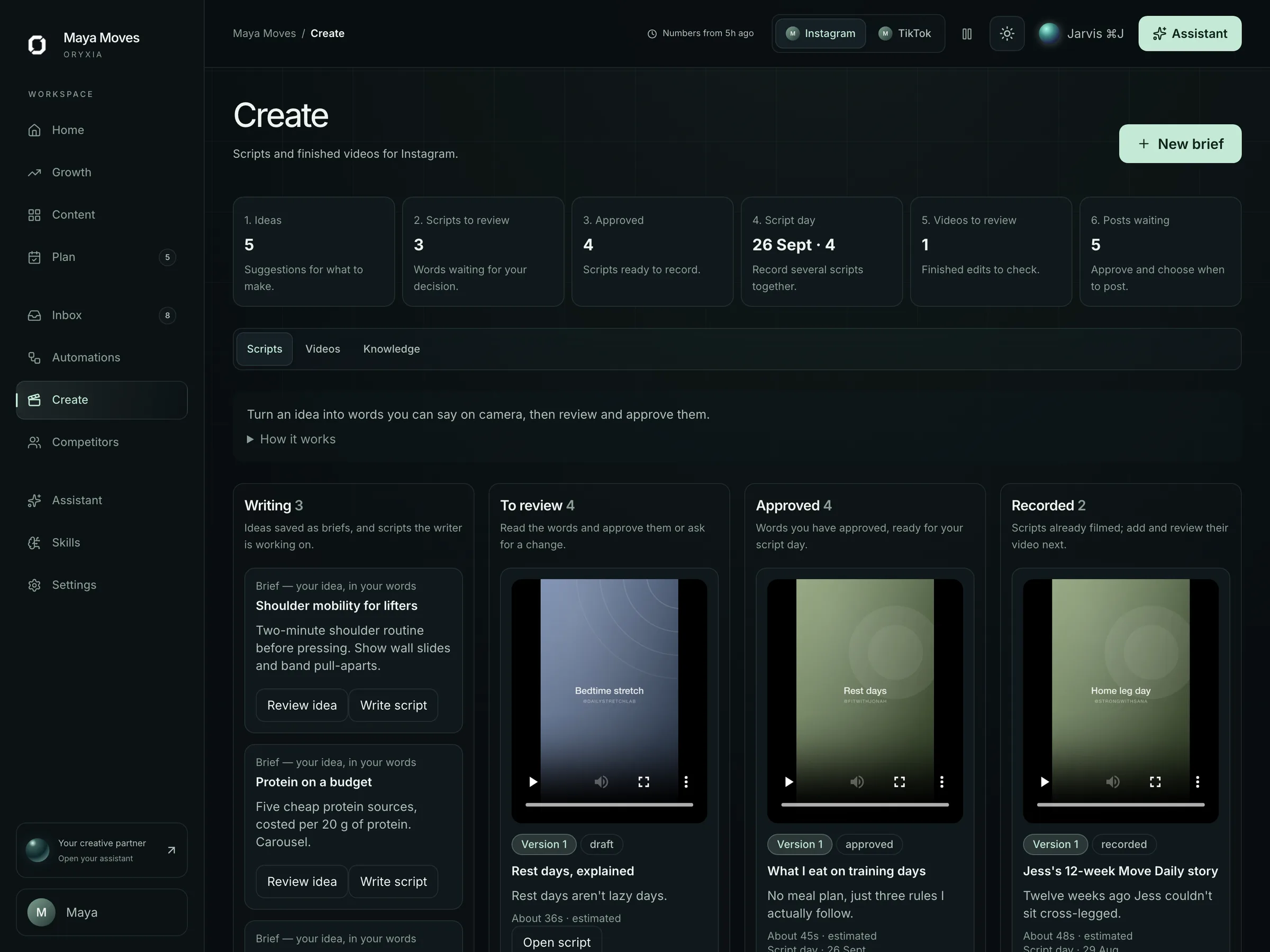
05 · Script agent
Scripts & planning
Briefs, scripts and captions — hook, body, CTA — planned into your calendar from your own 90-day performance, each with the evidence attached.
vs. “out of context” blank-prompt generation
06 · Editing agents
Video editing agents
Editing agents built on a video SDK cut, caption, pace and package your raw clips with your brand attached — then wait for your approval before anything is scheduled.
vs. waiting days for an editor's first cut
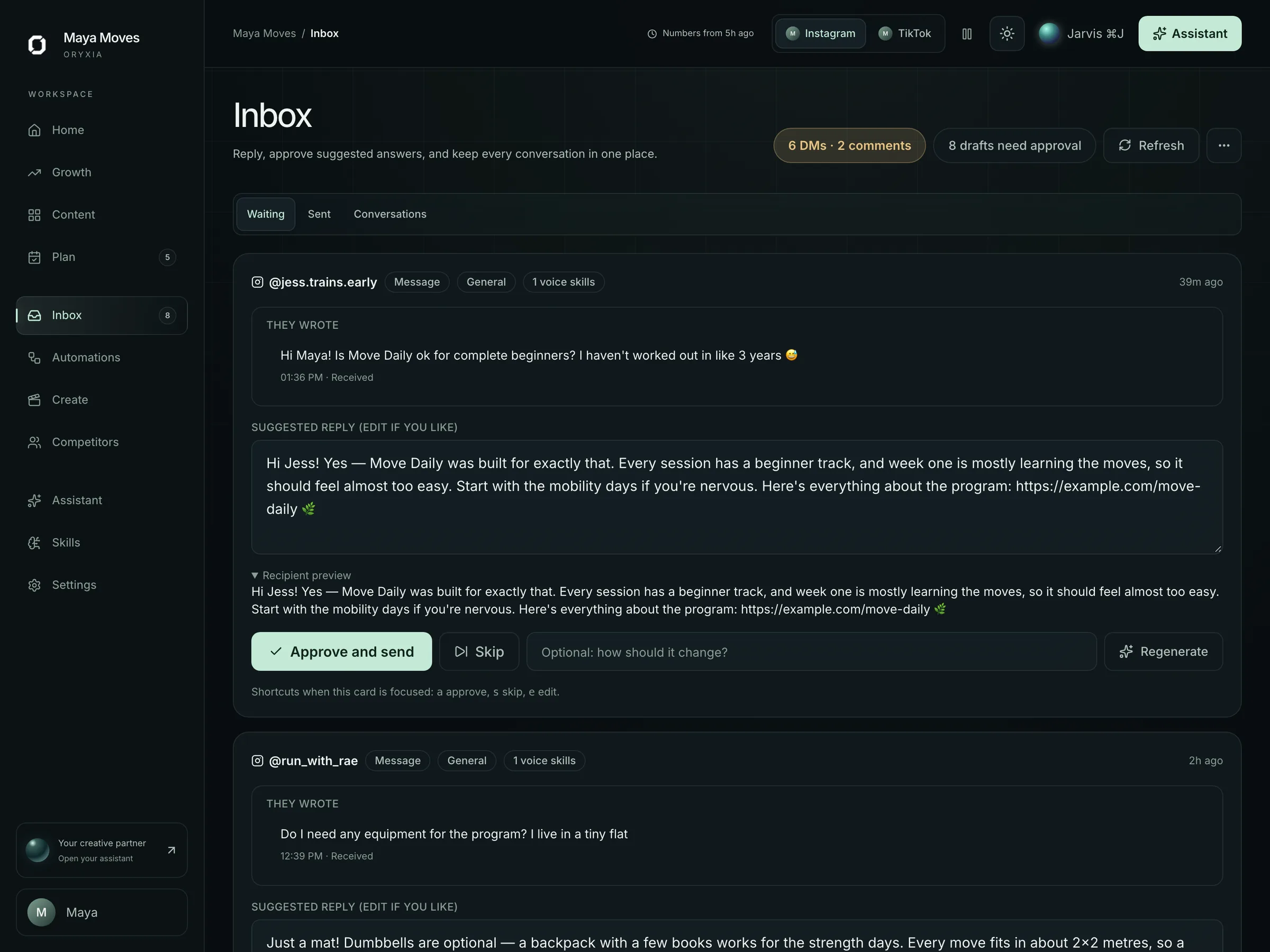
07 · Inbox agent
Inbox & approvals
DM and comment replies drafted in your voice and queued for one tap. Automatic sending is off by default; nothing goes out that you did not approve.
vs. a 2.1★ Trustpilot DM-automation leader
Shared by all seven
One approval gate. Nothing ships alone.
The loop
Signal → Creation → Review → Action.
Point tools each do one step and share nothing. Oryxia runs the whole loop against one personal brain, with you at the review gate.

01 / 04
Signal
Research, competitor and audience agents read your niche, your performance and your DMs together.
3 signals surfaced this morning
02 / 04
Creation
Hooks, scripts, captions, edits and replies drafted from your personal brain — in your voice.
1 draft in progress, in your voice
03 / 04
Review
Everything lands in a queue as a draft. You edit, approve or reject. Nothing is live yet.
2 drafts awaiting your decision
04 / 04
Action
Approved work is scheduled, published or sent — and the result feeds the next signal.
1 post scheduled, after approval
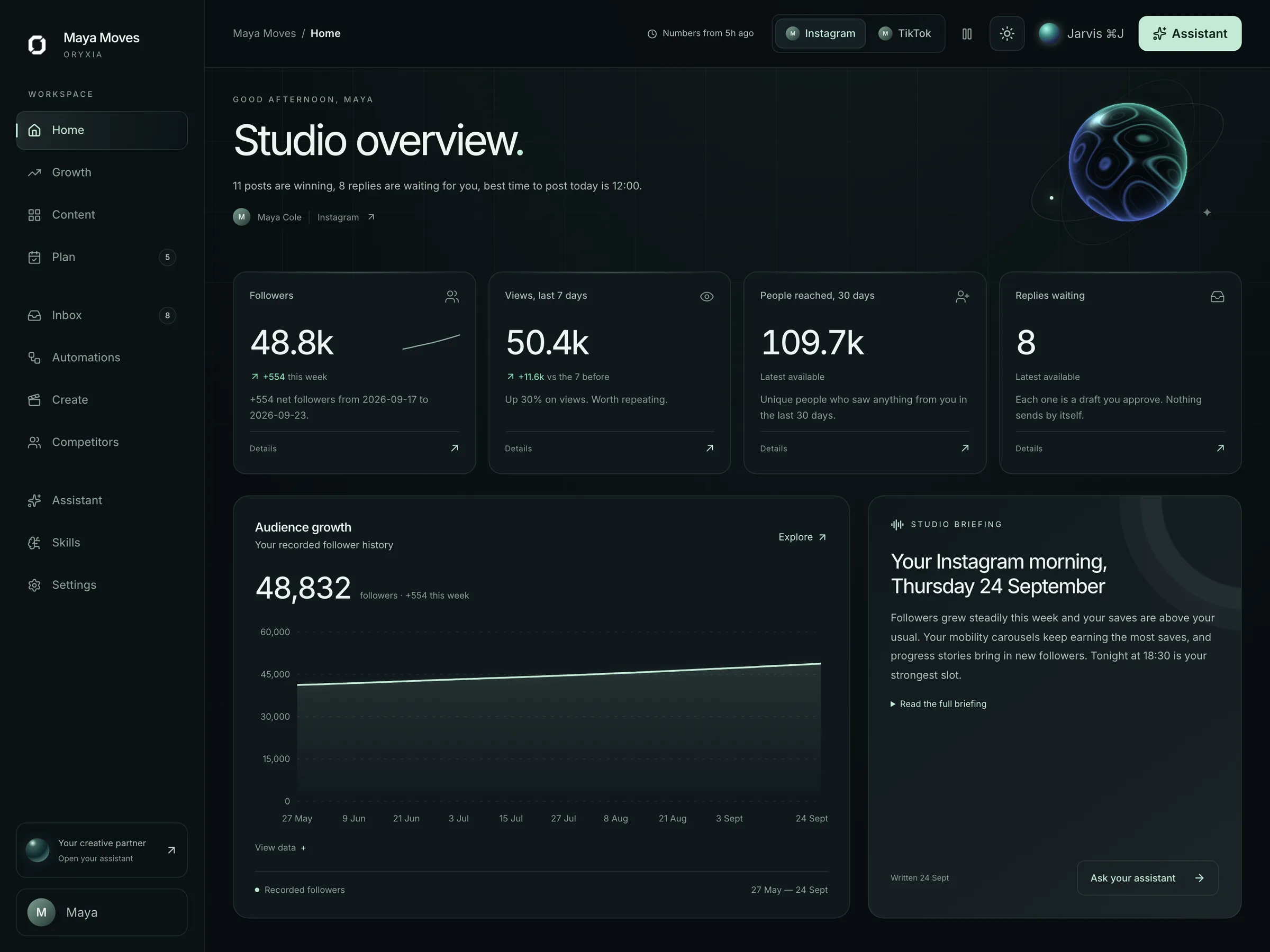
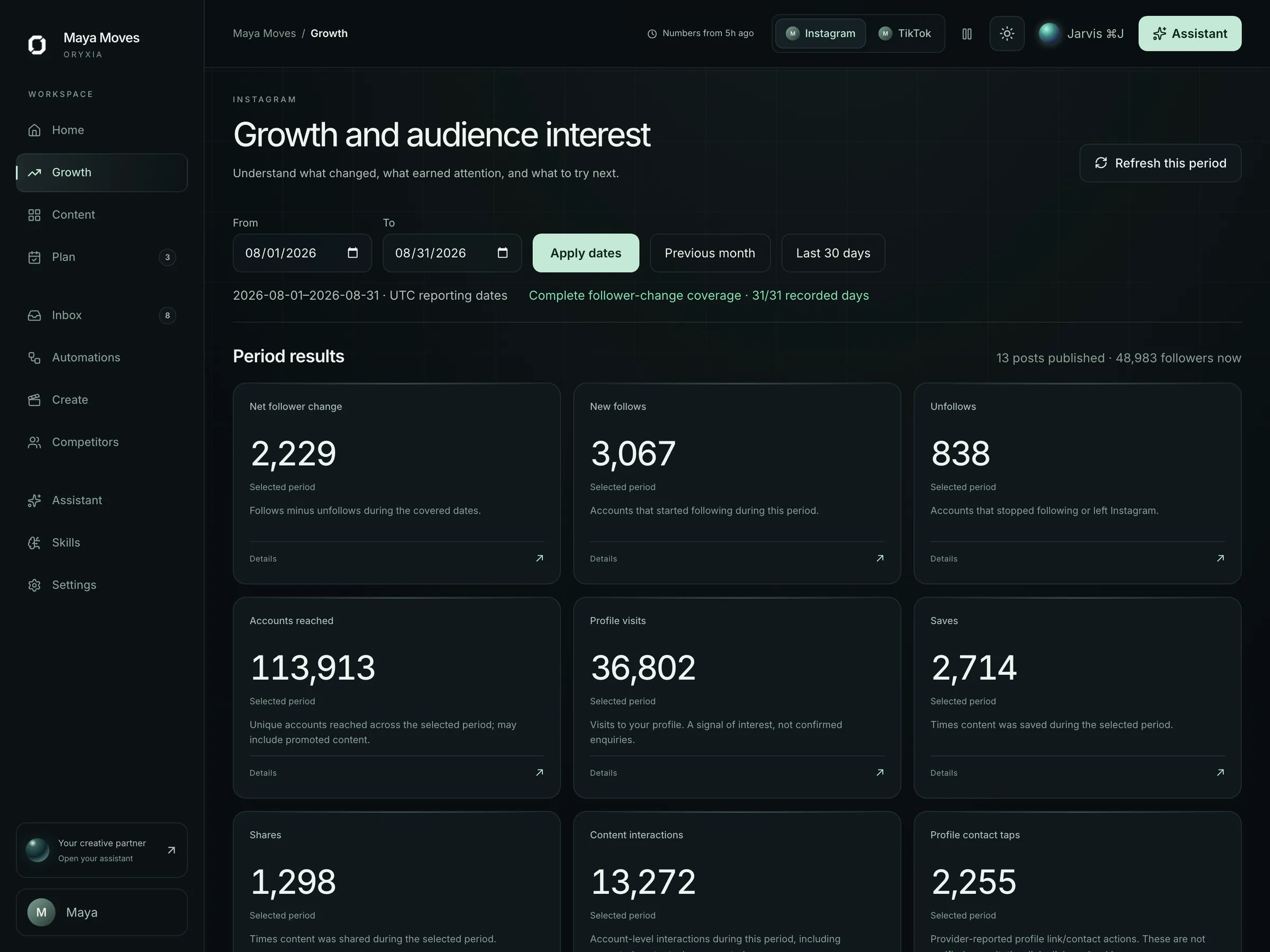
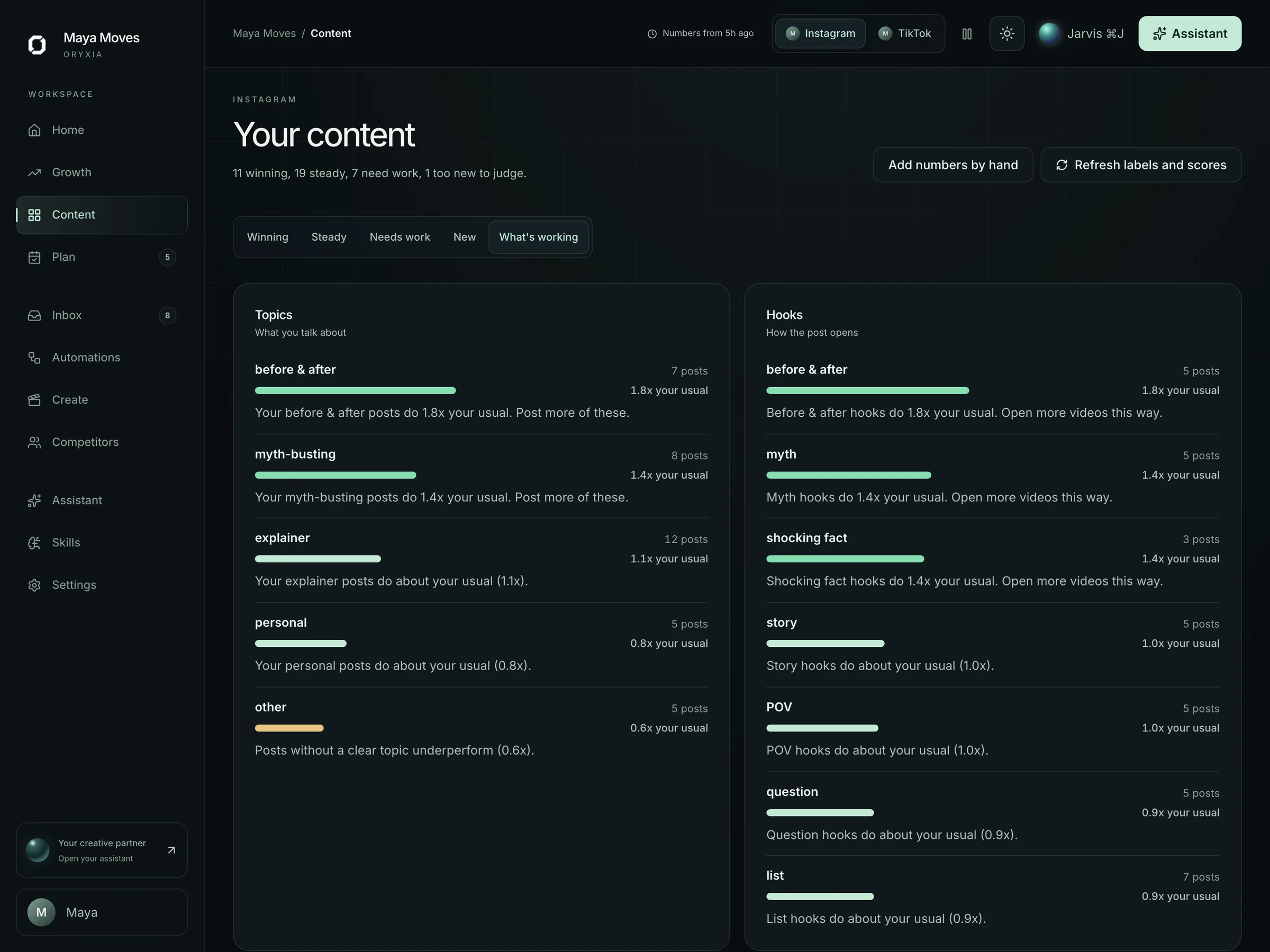
Inside the workspace
Every screen answers: what changed, and what should I approve?
A tour of the workspace, shown with a fictional demo creator. Pick an area to see it.
The approval gate
Drafts, approvals and live actions look different. Everywhere.
There is no autopost for content, and automatic replies are off by default. When you turn them on they only use reply skills you approved — and complaints, sensitive questions and uncertain replies always wait for you.
How approvals work in the inbox
- Draft
Generated by an agent, not yet reviewed. Editable. Invisible to the public.
- Draft · awaiting your approval
In your queue. One tap to approve, edit or reject.
- Approved by you
Reviewed by a named person. Scheduled or ready to send.
- Sent
Live. Logged with who approved it and when.
Assistant
Ask it why. It shows its work.
The assistant answers directly, gives the evidence, recommends the next action, and says what still needs your judgment — in that order. On the Growth plan it also listens: the JARVIS voice assistant runs the weekly review hands-free.
You
Why did reach dip this week?
Oryxia
Two of three reels went out at 14:00; your audience is most active around 19:00. The one that held attention opened with a question hook from your library.
Recommended: move Thursday's mobility reel to 19:00 and use the question-hook format. I have drafted it.
Needs your judgment: whether the topic fits this week's Move Daily launch.
Draft · awaiting your approvalHire the agents. Keep the final say.
See Oryxia run your research, hooks, scripts, edits and replies on a demo workspace — then decide.