

Inbox agent · Keep control
Respond fast without losing judgment.
Every DM and comment reply is drafted in your voice and waits for you. One tap to send, one to edit, one to take over. Nothing goes out that you have not approved, in advance or in the moment — in your business, in your name.

The problem
Automation is only trustworthy if you approve it before it goes out.
The category leader in DM automation carries a 2.1★ Trustpilot score, dragged down by stray auto-sends and an outage that silently killed automations for hours. It is built and priced around unattended sending by default. That model is what we refused to build.
“I once saw a bot leave a comment on a photo about several missing women… the comment said ‘how wonderful.’”“Great product, horrible billing plan. I have no contacts… they try to charge me $45.”Walkthrough
A queue of drafts, not a bot that talks for you.
The inbox is organized around what needs your decision. Drafts are grouped, prioritized and pre-written; the send button is yours.
Fictional demo data · Replies waiting for you
One tap to send
Every reply is a draft until you tap send.
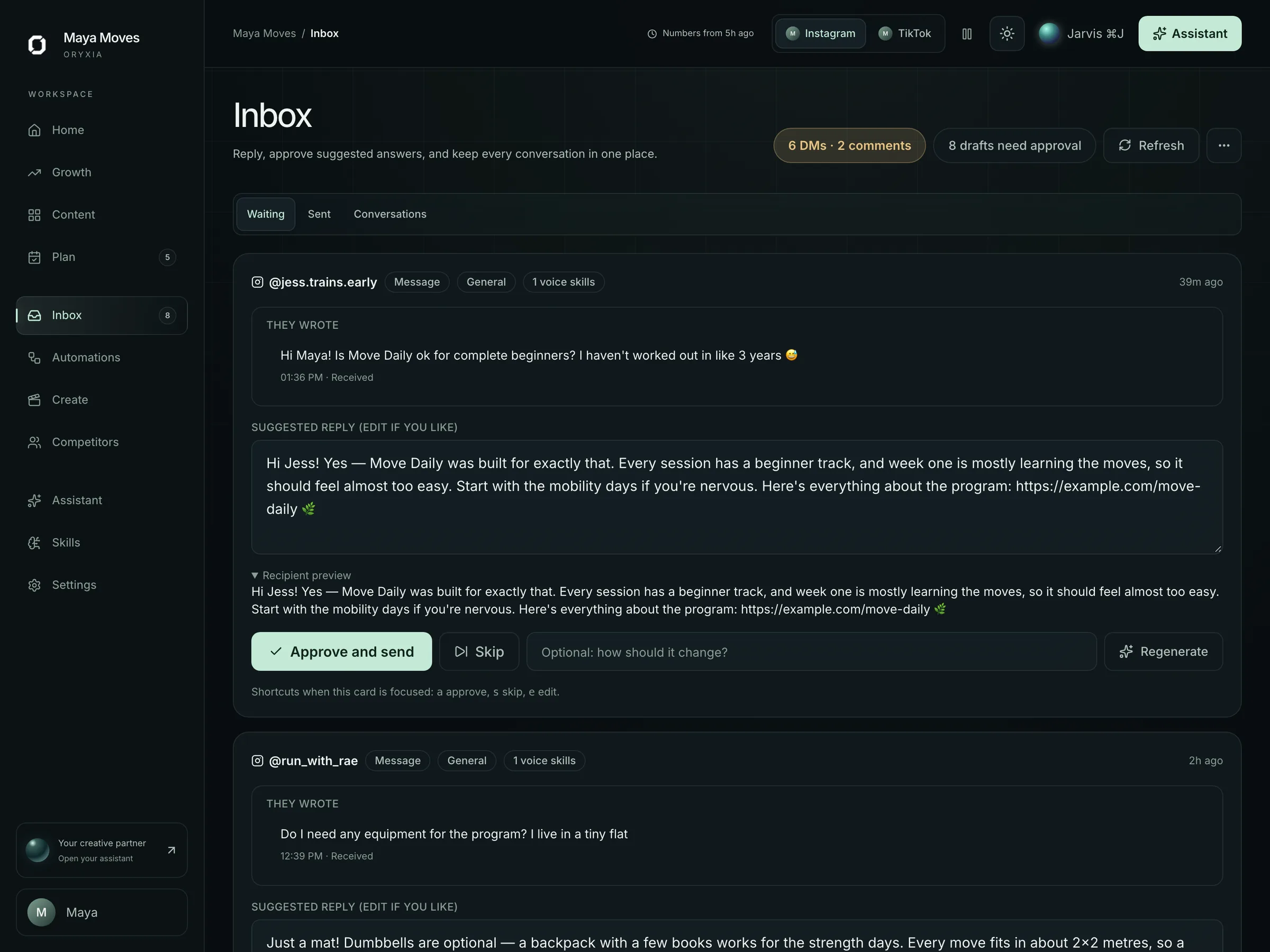
A follower asks “is Move Daily ok for complete beginners?” The inbox agent drafts the answer in your voice, links the free mobility guide, and waits. Approve, edit inline, or take over — from your phone, in seconds.
- Drafted from your personal brain and the thread's context
- Sensitive or uncertain messages are flagged, not drafted
- Every send is logged with who approved it

In detail
DM and comment drafts
Instagram and TikTok DMs and comments, drafted in your voice from your personal brain and the conversation's context.
Classification first
New lead or buyer question, existing customer, collaboration request, spam, sensitive topic. Sensitive threads are flagged for you rather than drafted.
One tap to approve
Approve from the queue, from the weekly review, or from your phone. Edit inline when the draft is close but not right.
Contact limits, stated
Up to 1,000 contacts on Starter, 10,000 on Growth. No per-contact metering inside those limits, and no surprise charge for an empty inbox.
Reply links to your systems
Drafts can include booking, checkout or waitlist links, so a good conversation ends in the tool you already use to convert it.
Automatic sending: off by default, explicit when on
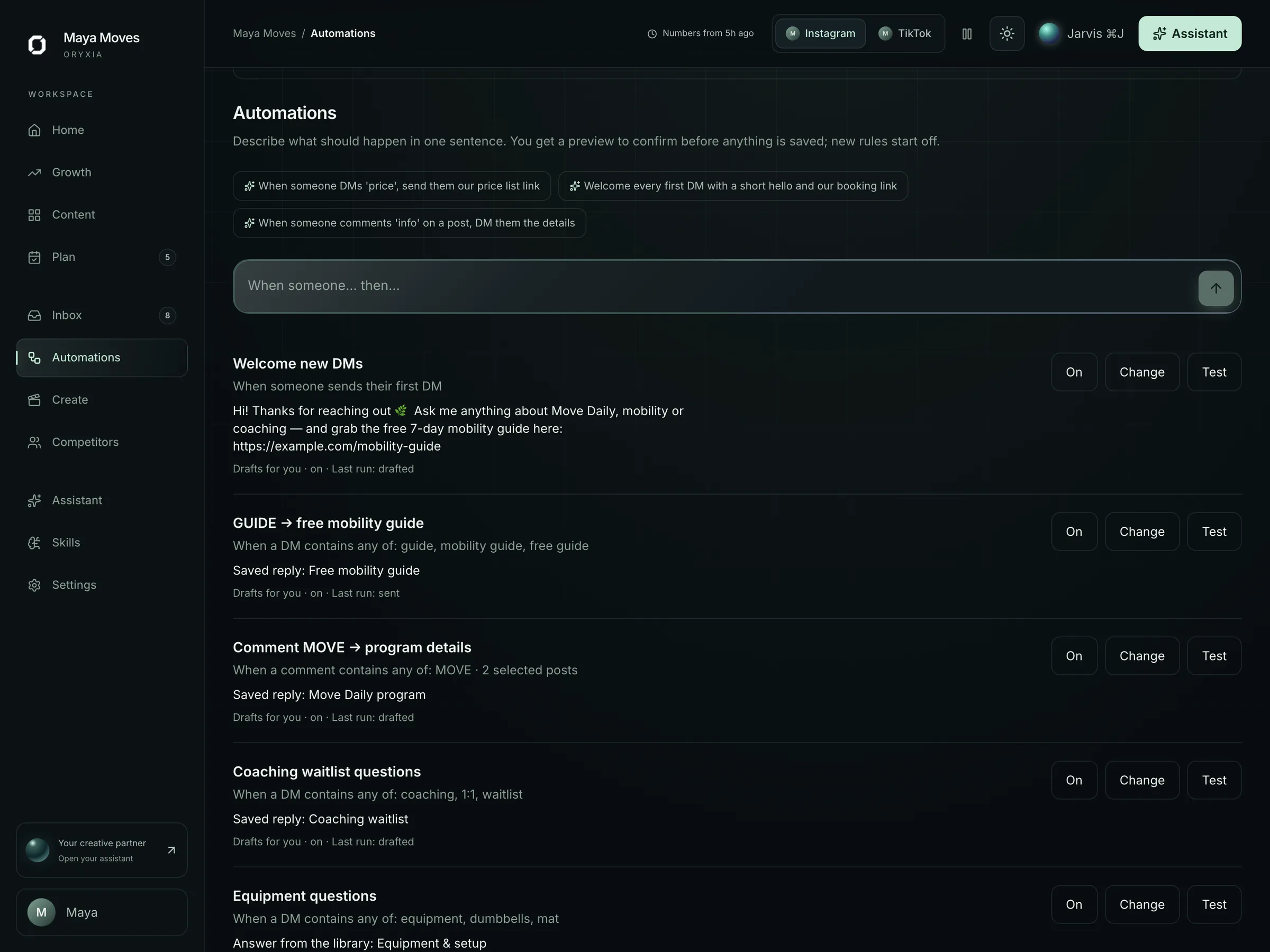
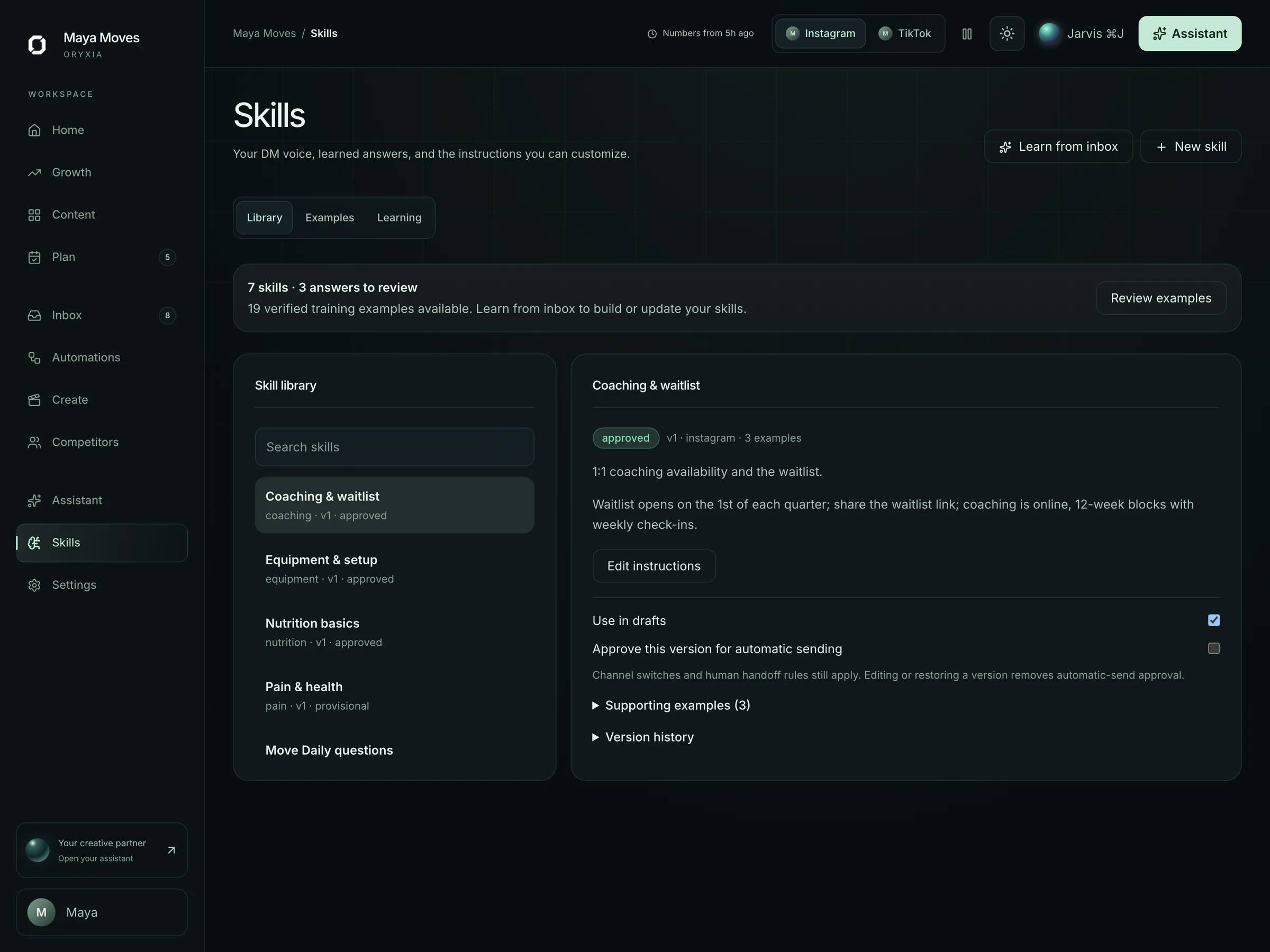
Routine messages can be answered automatically only with reply skills you approved in advance, and the switch is visible on every rule. Health or medical questions, complaints and uncertain replies always wait for you.
Inbox drafts are included in every plan: up to 1,000 contacts on Starter, up to 10,000 on Growth, and Studio/Agency across up to 5 workspaces.Compare plans
The approval gate is the product.
Drafted in your voice. One tap to send. Nothing goes out you have not approved — in the moment, or in advance for routine replies you chose to automate. Every other feature on this site exists to make that moment faster and better informed.
- 1A message arrives and is classified.
- 2A reply is drafted from your voice and the conversation's context.
- 3You approve, edit or take over.
- 4The reply sends — with an audit record of who approved it.
Fit check
Who this is for — and who it isn't.
We would rather lose a sale than sell you the wrong tool. If the right-hand column sounds like you, we will say so on the call.
A good fit if…
- DMs and comments arrive faster than you can answer them well
- Buyer questions, booking requests and collaboration asks get lost between everything else
- You want replies to sound like you, not like a bot
- You want a record of who said what, in your name
Not the right fit if…
- You want a bot to answer everyone automatically, unattended
- You need broadcast DM campaigns or bulk outreach
- Your inbox gets a handful of messages a week — you do not need a queue for that
What we need from you
Oryxia drafts. It still needs a few things only you have.
Setup is a working session, not a questionnaire. These are the inputs every draft is built from.
- 1Your Instagram and TikTok accounts, connected through the official APIs
- 2Your voice, offers and boundaries in the personal brain — including what a reply must never say
- 3The links you want replies to use: booking, checkout or waitlist
- 4A few minutes a day, or a set time each week, to approve the queue
Not includedUnattended auto-replies, broadcast DMs and bulk outreach. Automatic sending exists only for reply skills you approved in advance, and it is off until you switch it on.
FAQ
Fair questions.
01Can I trust it to publish or reply for me?
It doesn't publish or reply for you — it drafts, and you send. Every DM reply, comment reply, and scheduled post waits for your one-tap approval. Routine-reply automation is off by default, and even when you switch it on it can only send replies you approved in advance — anything uncertain waits for you.
EvidenceThe category leader in DM automation sits at 2.1★ on Trustpilot (302 reviews), driven by stray auto-sends and a silent outage. That model is what we refused to build.
02What can Oryxia see on my Instagram and TikTok?
Only what the platforms' official APIs expose for the accounts you connect, with the permissions you grant: performance analytics, your published content and your inbox conversations. Onboarding starts read-only. Nothing is published or sent without an approval, and you can disconnect an account at any time — the connection is revoked. We do not sell data, and your content does not train anyone else's models.
03Who approves, and who can see the drafts?
You, or the teammates you invite. Every workspace is isolated: drafts, approvals and conversations are visible only to the seats you add — one on Starter, three on Growth, unlimited on Studio/Agency. Every approval and send is recorded with who and when, so you can answer for any public message.
04Will it replace me?
No. Oryxia prepares work — a recommendation, a script, a reply, an edit — and asks you to approve it. It is built for a creator or small business with a one-person or small team, not an enterprise marketing department, and it never makes a decision you would have to answer for.
EvidenceBusiness owners in our research describe agencies that “decided they knew better about the business' strategy than the business did”. We built the opposite.
See a reply drafted, then decide.
We will walk through the inbox on a demo workspace, including what happens to a sensitive message.